Configure memory limits
Set the message-history budget per connection and check the estimated memory use.
Before you start
Open MQTT Viewer. The setting applies to each connection, so consider how many brokers you keep connected.
1. Set the history budget
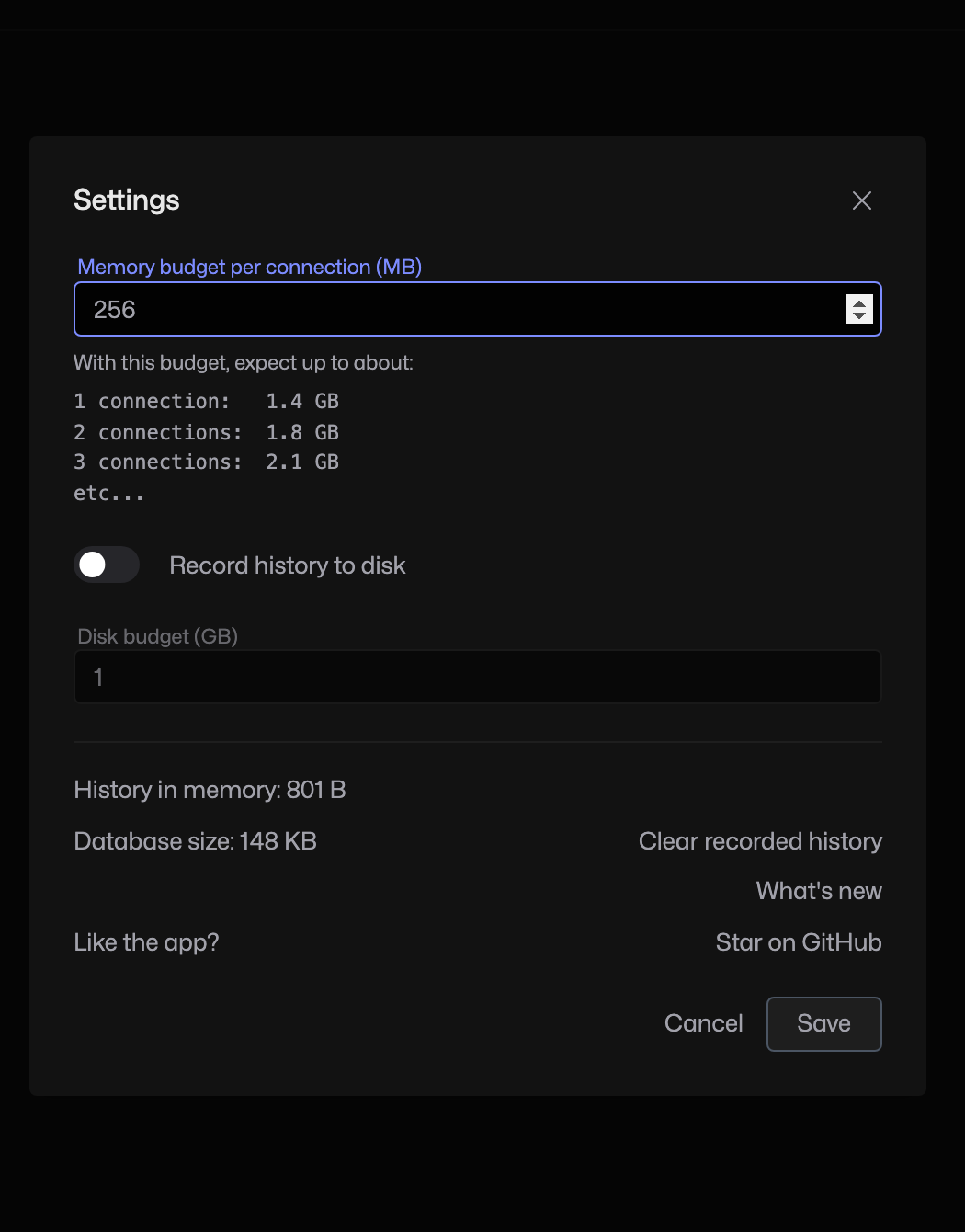
Click the Settings cog at the top right. In Memory budget per connection (MB), enter a value such as 256. Read the estimate below the field before clicking Save.
2. Check the saved value
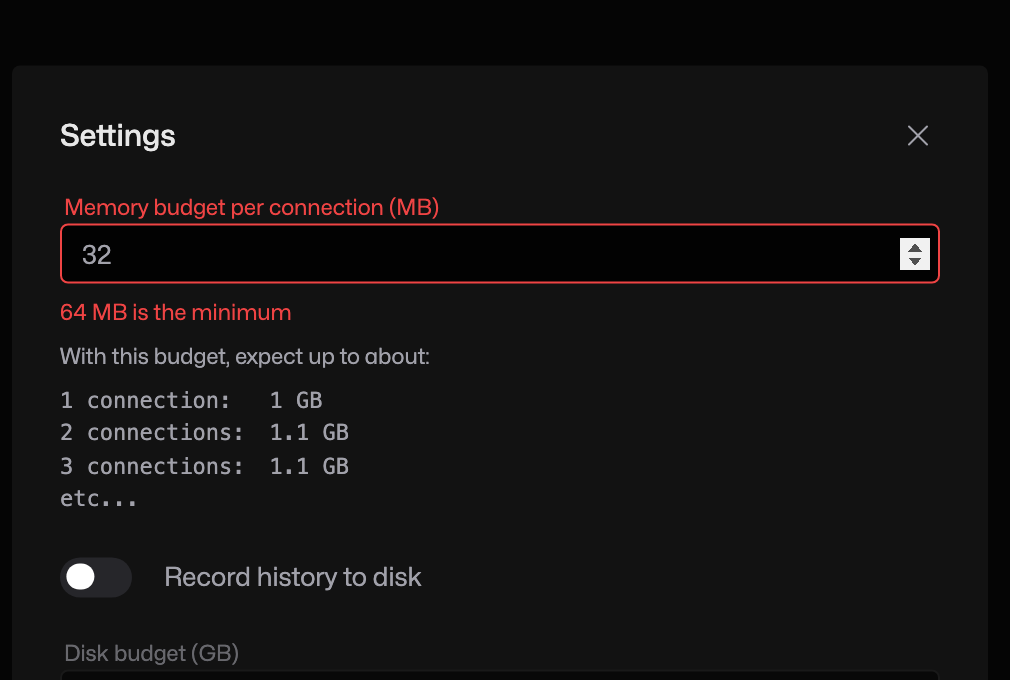
Reopen Settings to confirm the value. The minimum is 64 MB; a smaller value disables Save. Older in-memory messages can be evicted as the budget fills.
Budget and total memory are different
This is a history budget per connection, not a hard limit on the whole process. The app needs additional memory for its runtime, views and buffers. Use the displayed estimate rather than expecting a 256 MB setting to cap total memory at 256 MB. Disk recording has a separate budget.