Debug and test MQTT in seconds
MQTT Viewer is a free, open-source MQTT client for macOS, Windows, and Linux. Connect to multiple brokers at once, watch topics update live, decode payloads, chart trends and more.
Free & open-source (GPL-3.0) · Latest release 1.2.0 · macOS, Windows & Linux
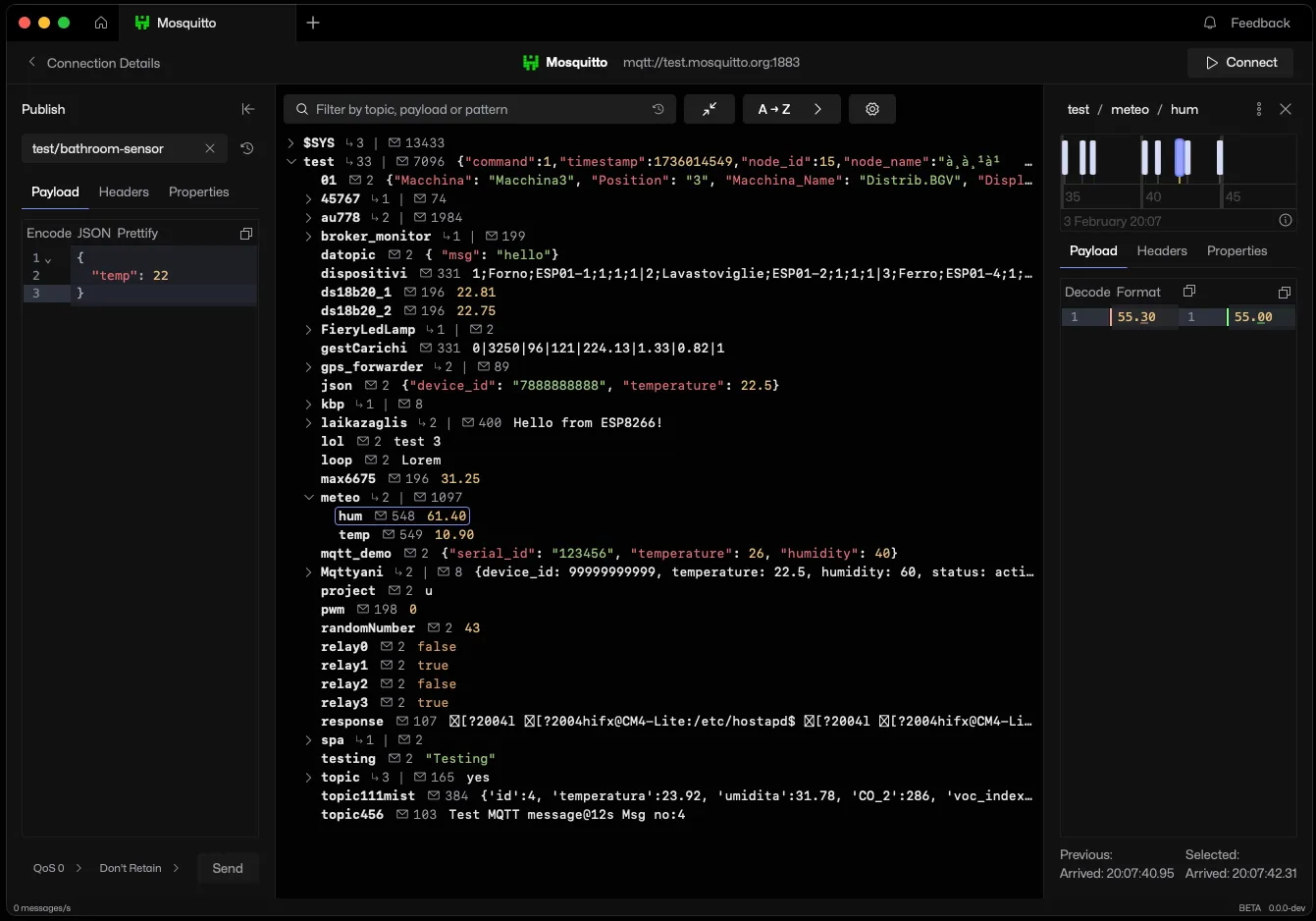
Why use MQTT Viewer?
Everything you need to inspect, debug, and test MQTT — in one fast, native app that stays out of your way.
- Connect to up to 10 MQTT brokers at the same time
- MQTT 3.1.1 and MQTT 5, including MQTT 5 publish properties
- TCP, TLS, mutual TLS with client certificates, and MQTT over WebSocket (ws and wss)
- Username and password authentication, stored encrypted
- Live MQTT topic tree with counts, last values, filter, sort and pinned topics
- MQTT graph view where node size is message rate and colour is recency
- MQTT message history on an interactive timeline with hover previews
- Compare MQTT messages with a diff against the previous one
- MQTT dashboard charts from numeric payload fields, with pop-out windows
- Mosquitto, EMQX and VerneMQ monitoring from $SYS topics, with health warnings and loudest topics
- Clear retained MQTT messages, one topic or a whole branch
- Sparkplug B viewer with aliases resolved to metric names, seq gaps and rebirth storms flagged, and rebirth requests
- Sparkplug B, Base64 and Hex payload decoding, and image payload previews
- MQTT client logs per connection
- Saved MQTT messages in global and per-connection collections, with drag and drop
- Publish with QoS, retain and MQTT 5 properties, and resend from a searchable history
- Memory budget per connection, with optional recording to disk
- Docker image and Home Assistant add-on serving the full app in a browser
- Native builds for macOS, Windows x64 and ARM64, and Linux as AppImage, deb, rpm, Flatpak and Nix
Unlike existing apps, it's intuitive, snappy, and includes all of the features I could want in a client. It's by far the most responsive MQTT client out there.

Christophe De Troyer
Founder, Loomy
Debug all your environments
Connect to up to 10 MQTT brokers at once and switch between development, staging, and production without juggling windows.
Download nowSparkplug B, with the names filled in
Watch every group, edge node, device and metric live. Aliases resolve to real metric names from the birth, and seq gaps, rebirth storms and offline nodes are flagged.
See the Sparkplug view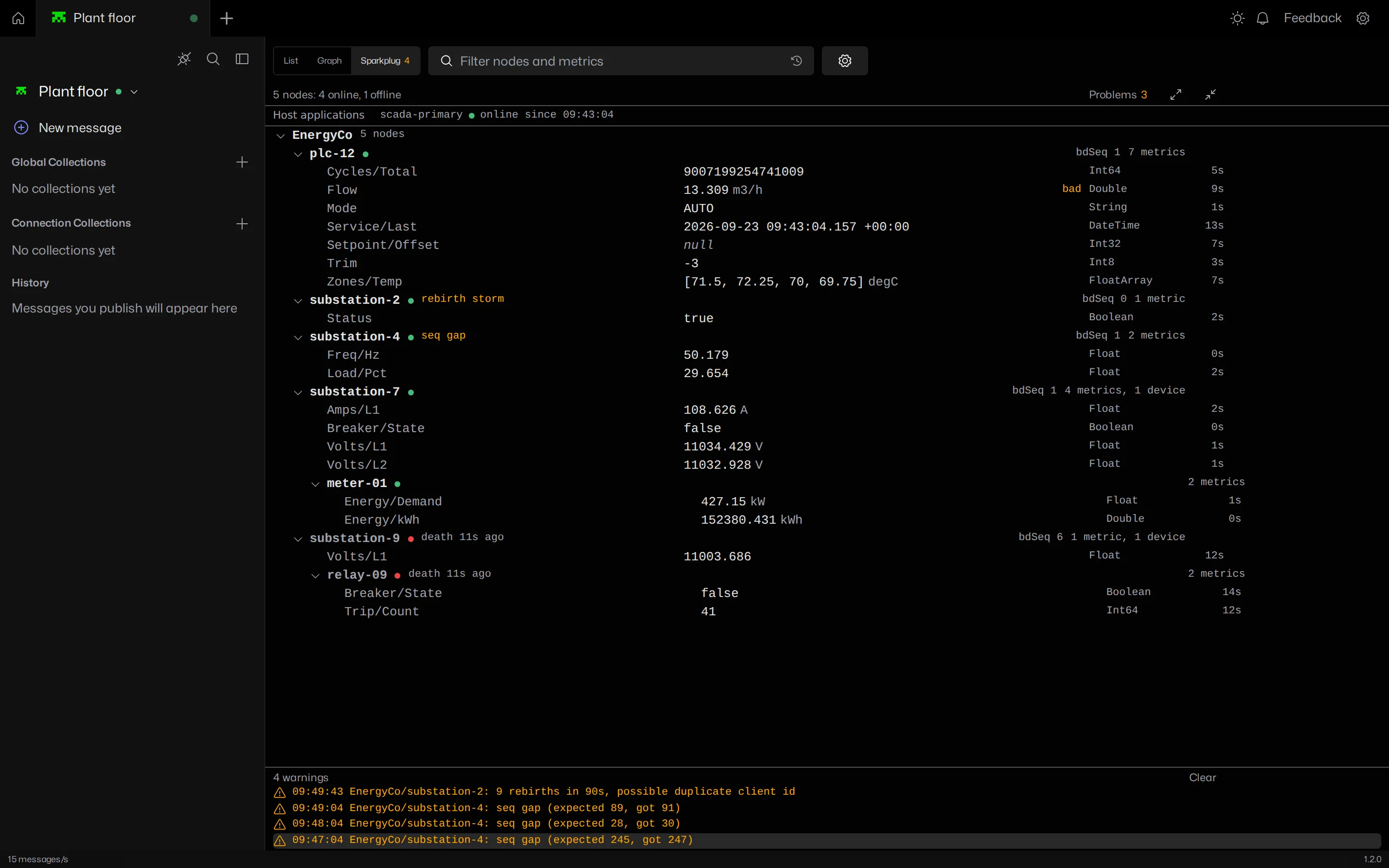
Republish common messages
Format, encode, and decode payloads with built-in Sparkplug B, Base64, and Hex codecs. Quickly re-publish past messages from a searchable history.
Download nowNever miss a message
Powerful free-text and pattern filtering plus an interactive timeline make it easy to find exactly the data you're looking for.
Download nowLoved by engineers ❤️
MQTT Viewer makes debugging my ESP32 projects so easy. Real-time monitoring and zero hassle. It’s become an essential tool in my workflow.

Mair Swartz
Creator, LearnESP32.com
Our developers love MQTT Viewer. It’s fast, intuitive, and is now indispensable. Easily the best MQTT client out there.

Mike Thompson
Founder, HackHunter
Frequently asked questions
Is MQTT Viewer free?
MQTT Viewer is free and open source under the GPL-3.0 licence. There are no paid tiers, trials or accounts.
Is MQTT Viewer open source?
The full source is published on GitHub at github.com/mqtt-viewer/mqtt-viewer under the GPL-3.0 licence.
Which platforms does MQTT Viewer run on?
MQTT Viewer is a native desktop application for macOS (Apple Silicon and Intel), Windows (x64 and ARM64) and Linux (x86_64 and ARM64). Linux builds ship as AppImage, deb, rpm, Flatpak and a Nix flake.
Does MQTT Viewer support MQTT 5?
MQTT Viewer supports MQTT v3.1.1 and MQTT v5, including publishing with MQTT v5 properties.
Does MQTT Viewer support TLS, WebSocket and client certificates?
Connections can use plain TCP, TLS, mutual TLS with client certificates, and WebSocket (ws and wss). Username and password authentication is supported on all of them.
Can I connect to more than one broker at the same time?
MQTT Viewer keeps up to 10 broker connections open at once, each in its own tab with its own topic tree, history and saved messages.
See the full FAQ for more.