Saved MQTT messages and collections
Saved messages live in two kinds of folder. Global collections show on every connection. Connection collections belong to one broker.
Try it in MQTT Viewer
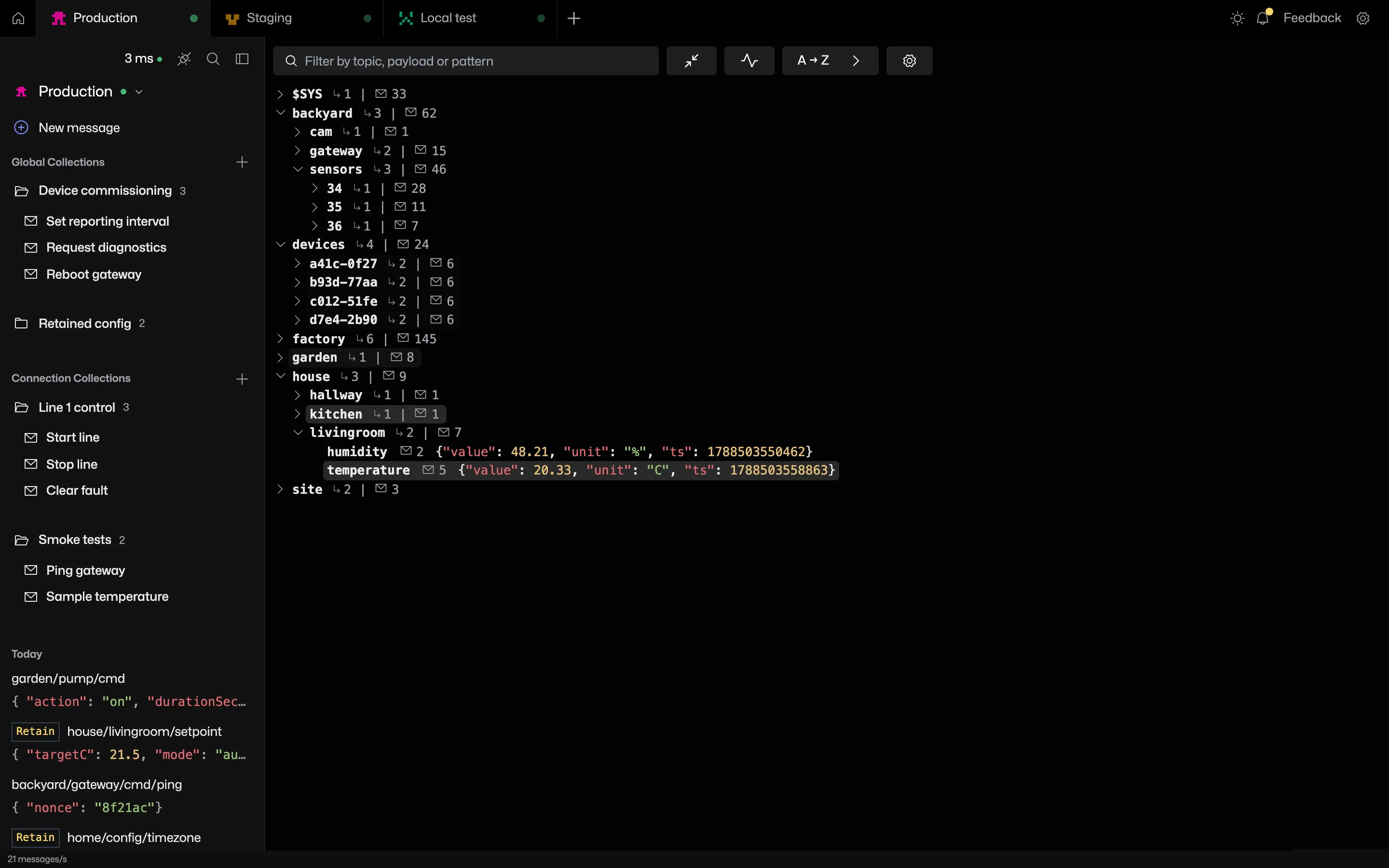
What a saved message holds
Each saved message keeps its name, topic, payload, QoS, retain flag and codec, ready to publish.
Drag and drop
- Drag a saved message to reorder it inside its folder.
- Drop it on another folder to move it, including between global and connection collections.
- Drag folders to reorder them.
- Drag an entry out of publish history onto a folder to save it.
New message in the right folder
Every folder's menu has New message. Click the name at the top of the publish view to rename it, and use the collection picker to move it. To create a collection, type a name into the Add to collection search.
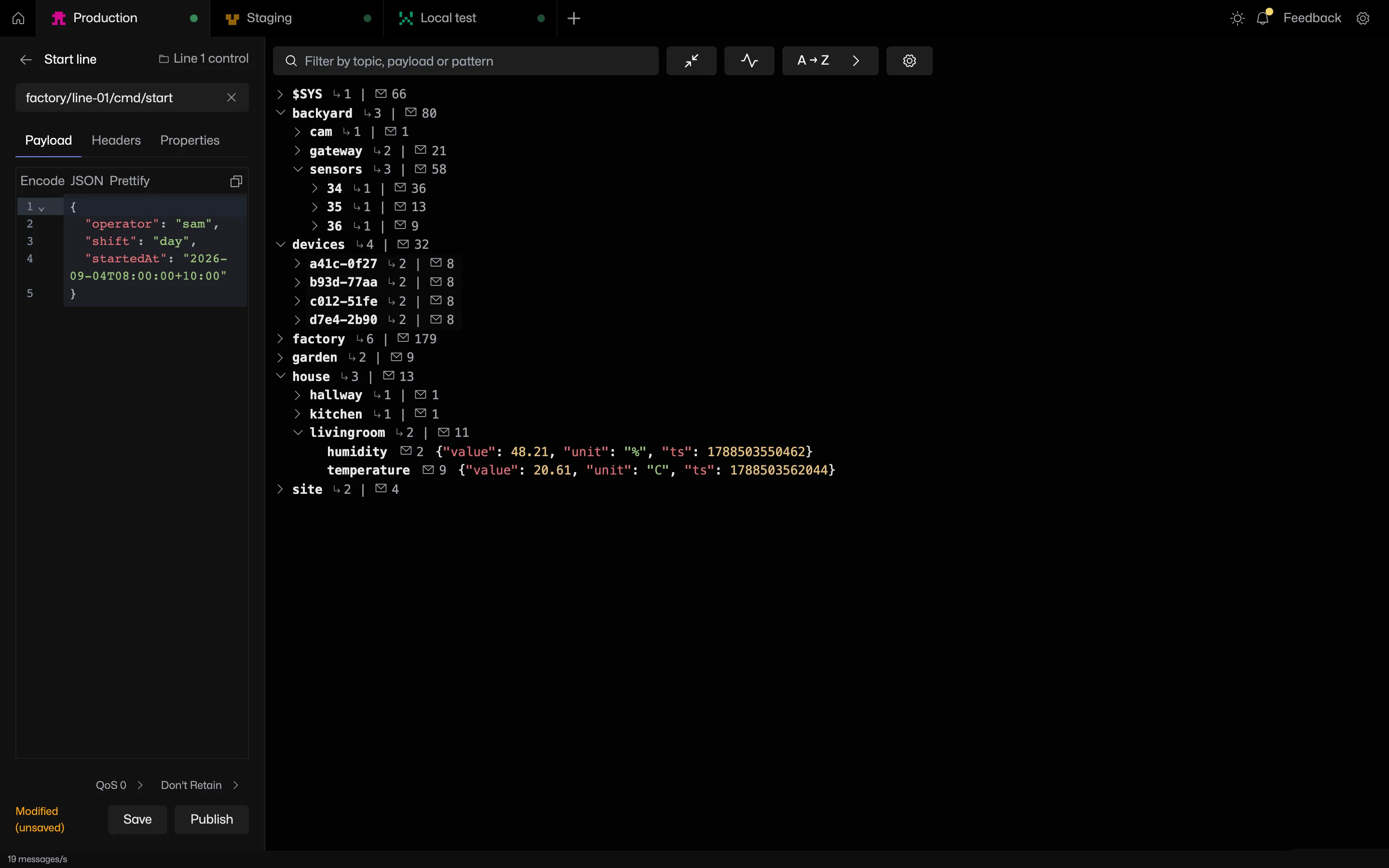
Saving is explicit
Opening a saved message edits a scratch copy. Save writes it back. Publish never saves on its own, so a one-off tweak does not overwrite the version you keep. Published messages also land in publish history.
Frequently asked questions
What is the difference between global and connection collections?
A global collection shows on every connection. A connection collection only shows on one. Dragging a message between the two moves it.
Can saved messages be dragged between folders?
Saved messages drag to reorder within a folder or onto another folder to move, including between global and connection collections. Publish history entries drag into a folder to save them.
Related features
MQTT Viewer is free and open source, and runs on macOS, Windows and Linux.
Download MQTT Viewer