Save messages in collections
Keep a named message ready to edit and publish again.
Before you start
Open a broker connection. You can prepare saved messages while disconnected; publishing needs a working connection and permission for the topic.
1. Compose and name a message
Click New message. Click Untitled message to rename it, then enter a topic and payload. This example saves walkthrough/commands/setpoint with {"setpoint":21}.
2. Choose a collection
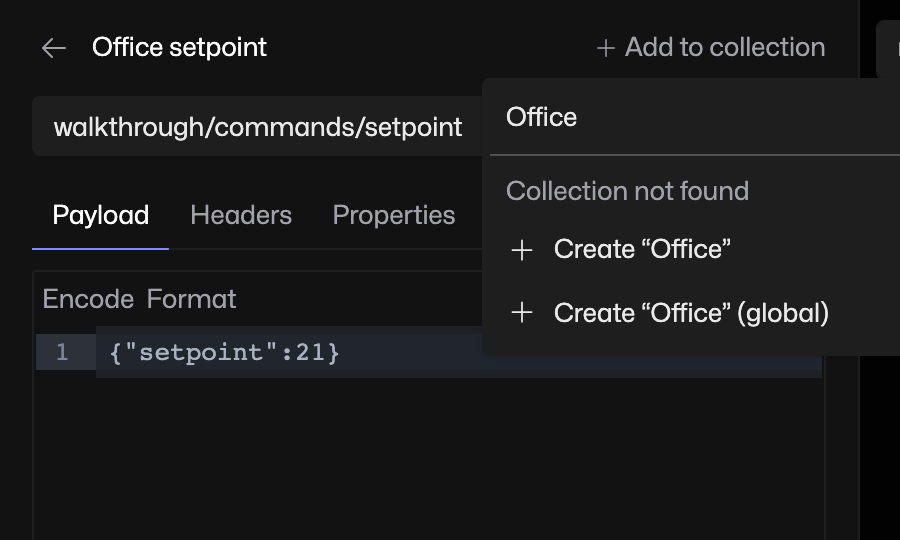
Click Add to collection. Type a name such as Office, then choose Create “Office”. This saves the draft into the new connection collection. Choose the option marked (global) if you want the collection available across connections.
3. Edit and save again
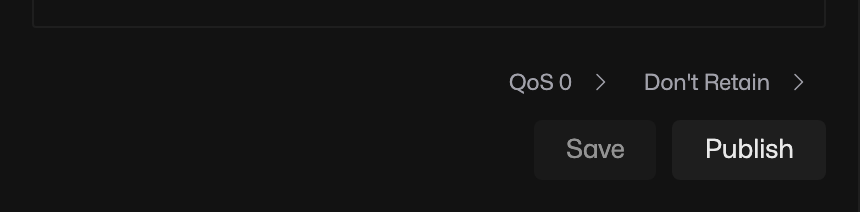
Change the payload to {"setpoint":22}, then click Save. Saving updates the stored message; it does not send it to the broker. Click Publish when you want to send it.
4. Find or move the saved message
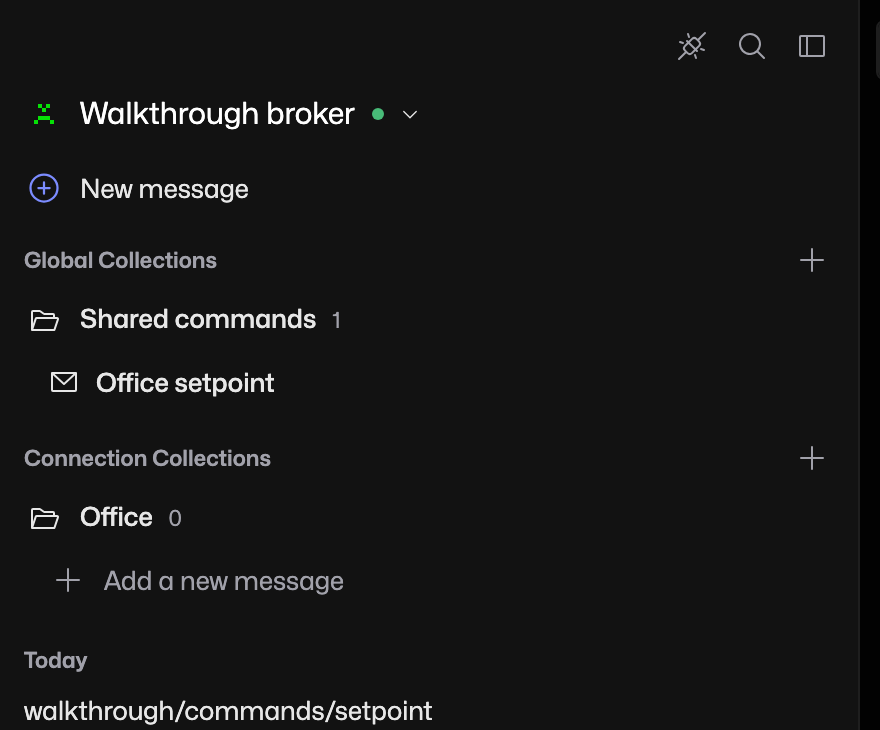
Use Back to messages to return to the sidebar. Open the collection and select its message. To move it, open the message’s collection chip and choose another collection.
If your edit is missing
Check you pressed Save after changing a saved message. The collection chip identifies where that message lives. A connection collection belongs to the current connection; a global collection is available across connections.